Small Text for Discord: Stand Out in Every Server (2026 Guide)
Complete guide to small text on Discord. Which Unicode styles render, where to use them (messages, nicknames, status), platform quirks, dark mode tips, and mobile vs desktop differences.
Discord is where communities live — from gaming clans to study groups to professional networks. With over 150 million monthly active users, standing out in a busy server takes more than just being active. Using small text in your messages, display name, and custom status is a subtle but effective way to express personality and grab attention without shouting.
Unlike Instagram or TikTok, Discord has its own unique rendering engine that handles Unicode differently. Some styles work perfectly, others have frustrating gaps, and knowing the difference saves you from embarrassing broken text in a public channel. This guide covers everything, tested on Discord desktop, web, and mobile.
Does Small Text Work on Discord?
Short answer: yes, but not all styles equally. Discord uses a custom font stack that varies between desktop (Windows/macOS), web browser, iOS, and Android. Each platform renders Unicode characters slightly differently. Here's the compatibility matrix after testing all 9 styles across every Discord surface:
Style Compatibility Matrix
| Style | Messages | Usernames | Server Nicknames | Custom Status |
|---|---|---|---|---|
| Superscript | Full ✅ | Partial ⚠️ | Partial ⚠️ | Full ✅ |
| Small Caps | Partial ⚠️ | Limited ❌ | Limited ❌ | Partial ⚠️ |
| Subscript | Limited ❌ | Limited ❌ | Limited ❌ | Limited ❌ |
| Numbers (sup) | Full ✅ | Full ✅ | Full ✅ | Full ✅ |
| Numbers (sub) | Full ✅ | Full ✅ | Full ✅ | Full ✅ |
| Bubble Text | Full ✅ | Partial ⚠️ | Partial ⚠️ | Full ✅ |
| Bold | Full ✅ | Partial ⚠️ | Partial ⚠️ | Full ✅ |
| Italic | Full ✅ | Limited ❌ | Limited ❌ | Full ✅ |
| Bold Italic | Full ✅ | Limited ❌ | Limited ❌ | Full ✅ |
Key takeaway: Superscript, Numbers, and Bubble Text are your safest choices for Discord messages and status. For usernames and server nicknames, stick with superscript numbers — they have universal support across all Discord clients.
Discord-Specific Rendering Quirks
Discord handles text differently from browsers or social apps. Four things trip people up:
- Dark mode is the default: Over 90% of Discord users browse in dark mode. In dark mode, small text — especially Superscript and Subscript — can appear slightly dimmer or thinner than regular text. Superscript remains the most readable on dark backgrounds; Subscript nearly disappears
- Mobile vs Desktop rendering: Small text appears slightly larger on Discord mobile (iOS/Android) than on desktop. A superscript message that looks perfectly readable on your phone may look too tiny on your friend's PC. Always test on both before setting a permanent nickname
- Character limits are strict: Discord has a 2,000-character message limit and a 128-character custom status limit. Unicode small text characters count the same as regular characters — a superscript "a" is one character, just like a regular "a"
- Server permissions override everything: Some servers restrict nickname changes or have character filters. If your small text nickname doesn't save, the server admin may have blocked Unicode characters — not something wrong with your text
Where to Use Small Text on Discord
Messages: Whisper with Tiny Text
Small text in messages adds a playful, understated tone. Discord users often interpret tiny text as "whispering" — it's a non-verbal cue that's become part of Discord culture. Use it for:
- Inside jokes: A superscript reply to a friend feels like a private joke in a public channel
- Quick status updates: "ᵇʳᵇ" (brb) or "ᵃᶠᵏ" (afk) in superscript is subtle and doesn't disrupt the conversation
- Creative formatting: Combine small text with Discord's native markdown — *italics*, **bold**, ~~strikethrough~~ — for multi-layered formatting that no other messaging app can replicate
- Announcements: A bold header followed by superscript body text creates visual hierarchy that makes server announcements easier to scan
Server Nicknames: Create a Unique Identity
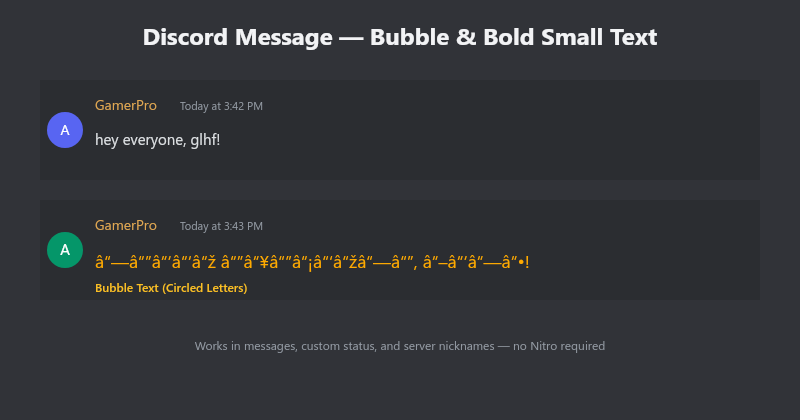
Your server nickname is how community members see you. Adding superscript numbers (e.g., "Phantom⁰⁷", "Luna²⁰²⁵") creates a unique identifier without looking like spam. Bubble Text nicknames like "ⓈⓉⒶⓇ" are eye-catching in member lists. Just check the server's nickname policy first — some communities restrict special characters.
Custom Status: Make "Online" Interesting
Discord's custom status feature supports Unicode text. Instead of the default "Playing Valorant" or "Listening to Spotify", try small text for a status like:
- "studying ʸᵒᵘᵗᵘᵇᵉ" (subtle self-deprecation)
- "𝐟𝐨𝐜𝐮𝐬 𝐦𝐨𝐝𝐞" in bold for a clean, intentional status
- "²⁰²⁶ ᵍᵒᵃˡˢ: ʳᵃⁿᵏᵘᵖ" — stylish new year resolution format
Combining Small Text with Discord Markdown
One of Discord's strengths is Markdown — asterisks for italics, double asterisks for bold, and so on. Small text plays nicely with all of it. Examples:
| Effect | Input | Output |
|---|---|---|
| Bold + Superscript | **ʰᵉˡˡᵒ** | bold superscript |
| Italic + Bubble | *ⓗⓔⓛⓛⓞ* | italic bubble |
| Spoiler + Bold | ||**𝐬𝐞𝐜𝐫𝐞𝐭**|| | hidden bold text |
| Code block + Superscript | `ʰᵉˡˡᵒ` | inline code superscript |
Small Text in Bots & Webhooks
Discord bots and webhooks can send small text, but rendering depends on the bot's message intent. Bots using Rich Embeds strip Unicode styling from all embed fields — your small text will appear as regular text inside embed titles and descriptions. Bots using plain text messages (or webhooks with text-only payloads) preserve small text perfectly.
If you're building a bot that sends small text messages, avoid Rich Embeds for small text content. Alternatively, put small text in the message body above or below the embed, not inside it. Webhook users: test your payload by sending to a private channel first — Discord's webhook parser handles Unicode differently between desktop and mobile.
Server Boosting & Small Text: Custom Invites
Level 1+ boosted servers unlock custom invite backgrounds and animated server icons. While small text doesn't directly affect these features, you can use small text in the server invite splash text to create a polished, branded welcome experience. A superscript tagline above your rules or welcome message signals attention to detail.
Server Discovery listings support Unicode text in the server description field. If your server is listed on Discovery, using small text creatively in your description can help your listing stand out in a sea of plain-text descriptions.
Quick Setup: Add Small Text to Discord
- Open the Small Text Generator in your browser
- Type the text you want to use
- For messages and status: copy the Superscript or Bubble Text style
- For nicknames: copy the Numbers (superscript) style for universal compatibility
- Paste directly into Discord — the message input, your user settings custom status field, or the server nickname field (right-click your name → Edit Server Profile)
- Test in a private DM or channel before using it publicly
Discord Mobile App: iOS vs Android
Small text renders differently between Discord's iOS and Android apps. iOS uses the San Francisco system font, which has broader Unicode coverage — Bubble Text and Bold render beautifully. Android devices vary by manufacturer; Samsung devices typically have the best Unicode support, while budget Android phones may display some characters as tofu (☐). Superscript text is the safest choice for mixed mobile channels.
Quick test: if you see boxes instead of small text, that user is on a device with limited Unicode font coverage. There's nothing wrong with your text — the recipient's device simply lacks the required font glyphs.
Nitro vs Free Users
Good news: small text works for everyone. Unlike custom emojis, animated avatars, and higher-quality screen sharing, Unicode small text requires no Discord Nitro subscription. It's one of the few visual customization options available to all 150+ million Discord users regardless of subscription tier.
Try It Free
Small text is the easiest Discord customization that works on every client, costs nothing, and takes seconds to set up. Open the Small Text Generator, type your message or nickname, and copy the style that fits. No ads, no sign-up, no Nitro required.